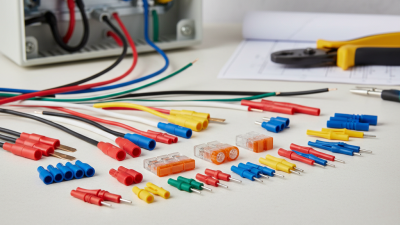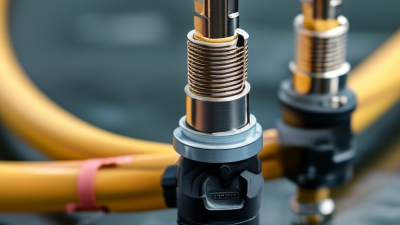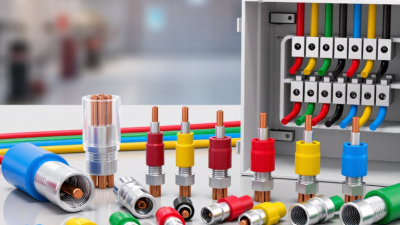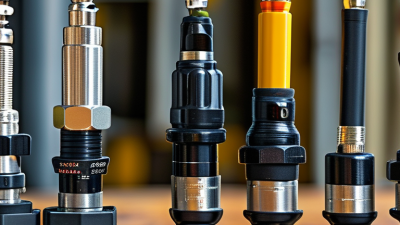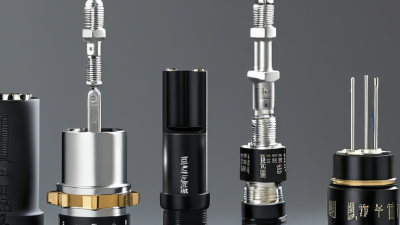
Cable Wire Connectors may look like small components, but they carry a big responsibility: keeping electrical connections secure, consistent, and suited to their working environment. The right choice depends on wire size, current, installation method, and exposure to heat, moisture, or vibration. A connector that works well in a dry control cabinet may be a poor fit outdoors or inside a vehicle.
Common options include twist-on wire connectors, crimp terminals, screw terminals, push-in connectors, and waterproof connectors. Each has practical strengths. A crimp terminal can create a compact connection when matched to the correct wire and crimping tool. Push-in connectors can speed up installation, while screw terminals allow convenient access for inspection. Small differences matter. A loose fit, exposed copper, or mismatched wire range can undermine an otherwise sound installation.
Choosing by appearance alone is risky. Check the connector’s rated wire range and application details, then follow its manufacturer’s instructions. For safety and accuracy, I can’t attribute a quotation to a named industry expert without a verifiable source. A useful principle, though, is simple: “Match the connector to the wire, the environment, and the job.” This guide compares the leading types and explains where each may be appropriate. It also recognizes a limitation: no connector is best for every situation. Exact requirements depend on the equipment and installation conditions.
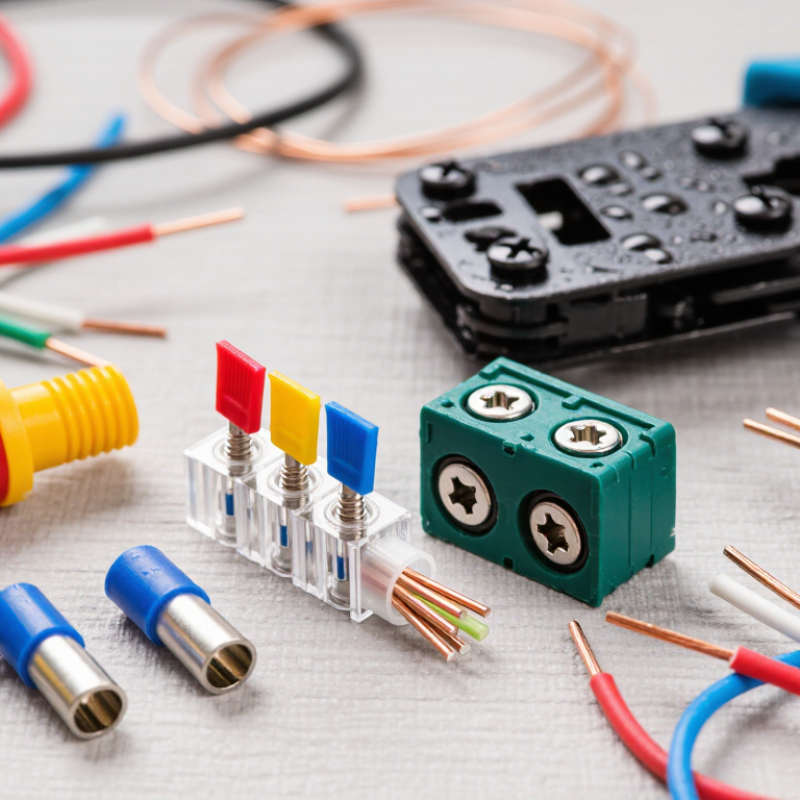
Cable wire connectors join conductors while protecting the electrical path from movement, moisture, and accidental contact. Common types include crimp terminals, screw terminals, push-in connectors, butt splices, and ring terminals. Each design suits a different installation condition. Crimp connectors compress a metal sleeve around stripped wire. Screw terminals clamp the conductor beneath a tightened screw. Push-in types use internal springs for quick connections.
A connector usually contains a conductive contact, an insulating body, and a locking feature. Some also include seals or heat-shrink tubing. These parts control current flow and reduce strain on the cable. In practical wiring work, I check the conductor size before selecting a connector. A loose fit can create heat. An oversized connector may hold poorly.
Small details matter. The wire should be stripped to the specified length, without cutting its strands. A crimp should grip firmly but not crush the conductor. I usually perform a gentle pull test after crimping. It catches weak connections early. Waterproof connectors need fully seated seals, not just tight-looking housings. Vibration, corrosion, and repeated bending can still cause failure. I have seen clean installations fail because the cable lacked strain relief. Connector ratings also deserve attention, especially for temperature, voltage, and current. Selection is sometimes less obvious than the catalog suggests.
What Are the Top Types of Cable Wire Connectors?
Crimp, Twist-On, and Push-In Connectors
Cable wire connectors differ in speed, strength, and installation method. Crimp connectors join conductors through controlled pressure. They work well for stranded wires, vehicle wiring, and terminals exposed to vibration. Use the correct connector size and matching crimping tool. A loose crimp can look acceptable but fail under movement or heat.
Twist-on connectors use an internal spring to grip joined wires. They are practical for many household wiring connections when the conductors match the connector’s rated range. Strip equal lengths, align the copper ends, and twist firmly until no bare copper remains outside. Push-in connectors use a spring cage, so installation is faster and cleaner. They usually suit solid conductors, while stranded-wire compatibility must be checked carefully. Fast does not always mean reliable.
Tips: Turn off power and verify it with a tested meter. Keep copper free from paint, oil, and deep scratches. Give each completed connection a gentle pull. It should stay firm without exposing more copper. Check the connector’s wire range, temperature rating, and local electrical requirements. In real repairs, rushing the strip length causes many failures. I have also seen push-in connections installed neatly but poorly seated. A visual inspection alone is not enough.
Terminal blocks are a practical choice when several wires must remain organized and accessible. Each conductor enters a separate clamp, making inspection and future testing easier. They work well inside control cabinets, junction enclosures, and low-voltage distribution panels. Choose a block rated for the wire size, voltage, current, and surrounding temperature. A loose screw can create heat, so tighten it to the manufacturer’s specified torque.
Barrier strips use screw terminals with raised insulating walls between connection points. These barriers reduce accidental contact between adjacent circuits. They suit equipment with multiple paired connections, especially where wires need clear labeling. During installation, strip only the required insulation length. Excess bare copper can touch the barrier edge or another terminal. That small mistake is easy to miss.
Wire nuts provide quick, compact splices for compatible solid or stranded conductors. They are useful in enclosed electrical boxes when the connector matches the wire combination and local code requirements. Twist the conductors evenly before fitting the connector, then perform a gentle pull test. It should not move. Do not treat that test as a substitute for proper installation. I have seen neatly capped wires fail because one conductor was shorter than the others. Wire nuts also need enough box space, since crowded connections can loosen over time. Clear labeling helps, but it cannot correct an unsuitable connector.
Coaxial, RJ, and Specialized Cable Connectors
Coaxial connectors join cables that carry radio-frequency signals, often between an antenna, receiver, or test instrument. Their center conductor must stay aligned, while the outer shield helps limit interference. A loose connection can cause signal loss or a grainy picture. Match the connector type and cable size, and check that the coupling feels secure without forcing it.
RJ connectors are common in data and telephone wiring. RJ45-style plugs typically terminate twisted-pair Ethernet cable, while smaller modular plugs serve some telephone connections. The plug’s contacts need to meet the correct conductors; a wiring error may cause slow links or no connection at all. Specialized connectors cover other needs, including fiber-optic links, miniature electronics, and harsh environments. They may use locking shells, sealed bodies, or precise alignment features. The label “specialized” is broad, so verify the cable, signal, and operating conditions before choosing. It is easy to overlook that last detail.
Tips: Inspect the connector and cable for bent contacts, cracked housings, or damaged insulation. Keep dust caps on unused fiber ends, and avoid pulling a cable by its plug. For critical installations, test the finished connection with suitable equipment; a neat appearance alone does not confirm reliable performance.
| Connector Type | Typical Cable | Common Uses | Key Characteristics | Selection Considerations |
|---|---|---|---|---|
| F-type | Coaxial cable | Television antennas, cable television, and satellite installations | Threaded coupling; commonly used in 75-ohm systems | Match the connector to the cable size and installation type, such as compression or twist-on. |
| BNC | Coaxial cable | Video equipment, test instruments, and some radio-frequency connections | Bayonet-style coupling; available for 50-ohm and 75-ohm systems | Confirm the required impedance and connector gender before installation. |
| N-type | Coaxial cable | Radio-frequency equipment, antennas, and outdoor wireless links | Threaded coupling designed for robust RF connections; 50-ohm versions are common | Check frequency rating, impedance, cable compatibility, and weather protection needs. |
| RJ45-style (8P8C) | Twisted-pair Ethernet cable | Local area networks, routers, switches, and computers | Eight-position modular plug commonly used with Ethernet cabling | Choose a plug suited to the cable category, conductor type, and solid or stranded conductors. |
| RJ11-style modular | Telephone cable | Landline telephones, telephone jacks, and some modem connections | Smaller modular connector; commonly uses two or four contacts within a six-position body | Verify the number and arrangement of contacts required by the telephone equipment. |
| USB Type-C | USB cable | Data transfer, charging, and device connections | Reversible plug; supported capabilities vary by cable and connected device | Check data rate, charging power, and video support rather than relying on connector shape alone. |
| HDMI | HDMI cable | Digital video and audio connections between displays and source devices | Multi-pin connector carrying digital audio and video | Confirm the required cable length, connector size, and supported resolution or refresh rate. |
| Terminal block | Solid or stranded electrical wire | Control panels, lighting, and low-voltage or power wiring | Clamping connection, often screw-operated or spring-operated | Match the block to wire gauge, current and voltage ratings, and the installation environment. |
| Fiber-optic LC or SC | Optical fiber cable | Telecommunications, data centers, and fiber network links | LC connectors are compact; SC connectors use a larger push-pull format | Match connector type, fiber mode, polish, and adapter; keep end faces clean. |
What Are the Top Types of Cable Wire Connectors?
How to Choose the Right Cable Wire Connector
Choosing the right cable wire connector starts with the wire, not the connector’s appearance. Check the conductor size, insulation diameter, and whether the wire is solid or stranded. A connector that fits loosely may create heat, voltage loss, or an unreliable connection.
Twist-on connectors suit many simple indoor splices, while crimp connectors offer strong mechanical support when installed with the correct tool. Push-in connectors are convenient for compatible solid conductors, but they may not suit every stranded wire.
Compression connectors provide stable connections for signal cables. In damp locations, use sealed or heat-shrink connectors with suitable environmental protection.
Read the connector’s current and voltage ratings carefully. Match its material with the conductor to reduce corrosion risks. The connection should also fit the available space inside a junction box or equipment enclosure. Small details matter.
Inspect the finished joint. The wire should remain secure after a gentle pull, and no bare conductor should extend beyond the connector. A tight-looking connection is not always a safe one. In practical repairs, rushing the final inspection causes avoidable failures. I have also found that confusing wire gauge systems can lead to poor choices, especially when metric and non-metric sizes appear together. When uncertain, consult a qualified electrician and follow applicable electrical codes.